SYSTEM // PRE-RELEASEEARLY ACCESS // AUG 21 2026DEMO // AVAILABLELAST SOURCE CHECK // 2026-08-20T06:25:00.192Z
PRE-RELEASECOMMUNITY REPORTED

Inventory and Backpacks

Keep free capacity for the return trip, transfer items in verifiable steps, and confirm contents persist before moving on. Grab All received an official demo update, while backpack problems remain community-reported rather than universally confirmed.

Last checked: 2026-08-20

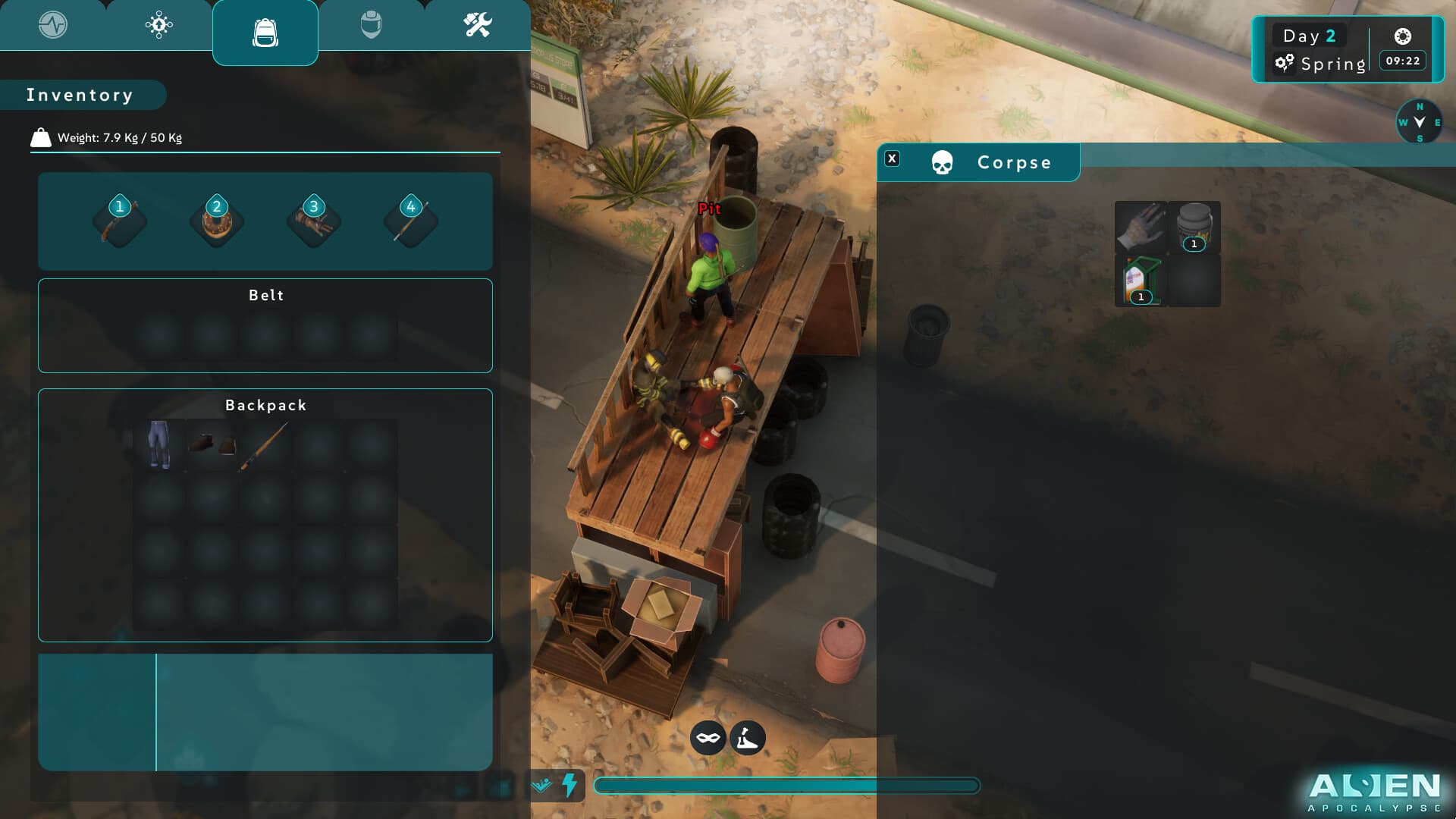
Inventory and corpse-looting interface in an industrial yard
Official Alien Apocalypse media used for visual context, not hidden-value claims.

Preserve an exit margin

Reserve space for an emergency supply, required tool, or better find on the route home. This reduces forced drops.

Use Grab All deliberately

An official demo update addressed Grab All. Check destination capacity first, then confirm expected items moved and the source updated.

Handle backpack reports carefully

Community reports describe problems, but scope is not fully verified. Record build, sequence, capacity, source, destination, and reload behavior.

Organize for recovery

Separate supplies, tools, crafting inputs, and storage. A stable layout makes accidental transfers and bug reproduction easier to understand.

ACTION CHECKLIST

What to do next

  • Leave free capacity.
  • Check source and destination.
  • Verify Grab All.
  • Separate survival and crafting items.
  • Record exact loss or duplication steps.

EVIDENCE BOUNDARY

Known unknowns

These details are withheld until official documentation or a repeatable build check supports them.

  • Backpack issue scope
  • Release capacity and weight
  • Container persistence edge cases

QUICK CLARIFICATIONS

Frequently asked questions

Is the backpack definitely broken?

No universal defect is confirmed. Community reports need build-specific reproduction and clearer scope.

Is Grab All supported?

It is referenced in an official demo update, but each transfer should still be checked for capacity and completion.

Related guides